See what comparable towns pay before you set the number.
WageNav turns your annual salary survey into a tool HR staff use all year. Pick a position, pick your peer towns, and see every salary on one chart, with the job descriptions and contracts behind it.
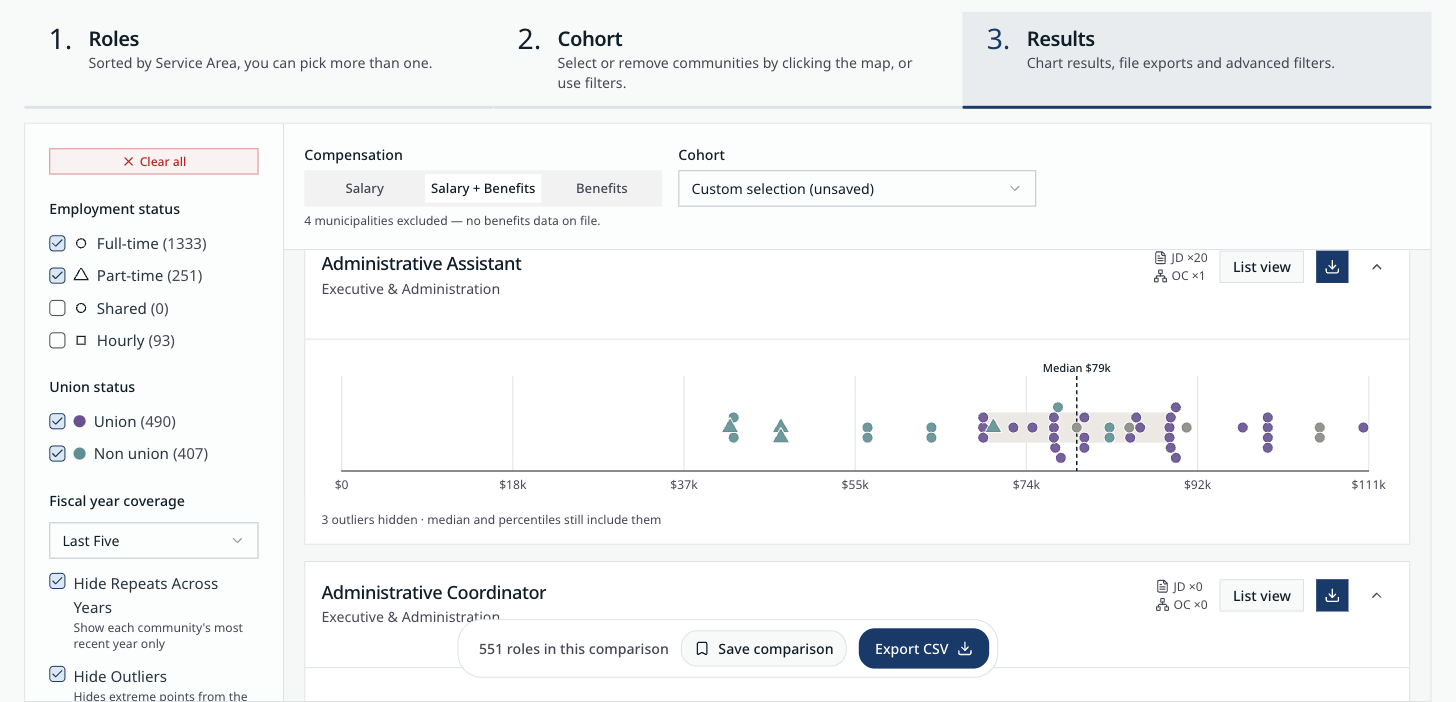
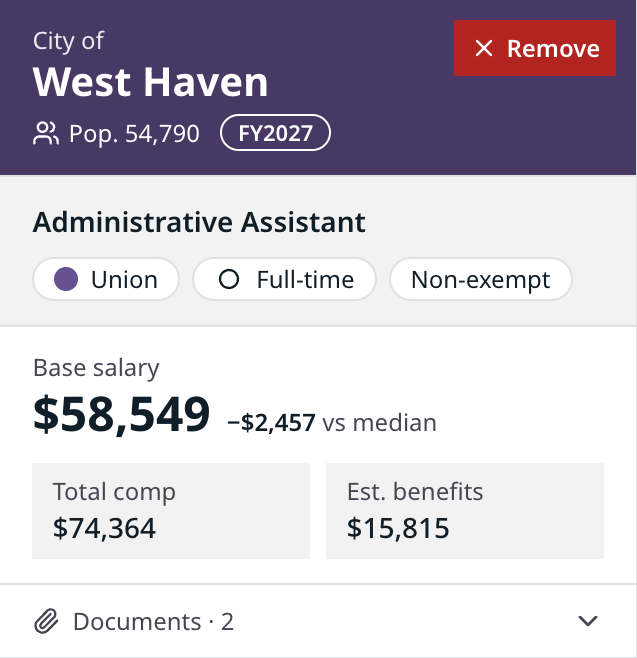
Figures from CCM Salary Navigator, the WageNav deployment for the Connecticut Conference of Municipalities.
Three steps from question to answer
The same three steps every time, so a new HR assistant gets the same answer as a 20-year director.
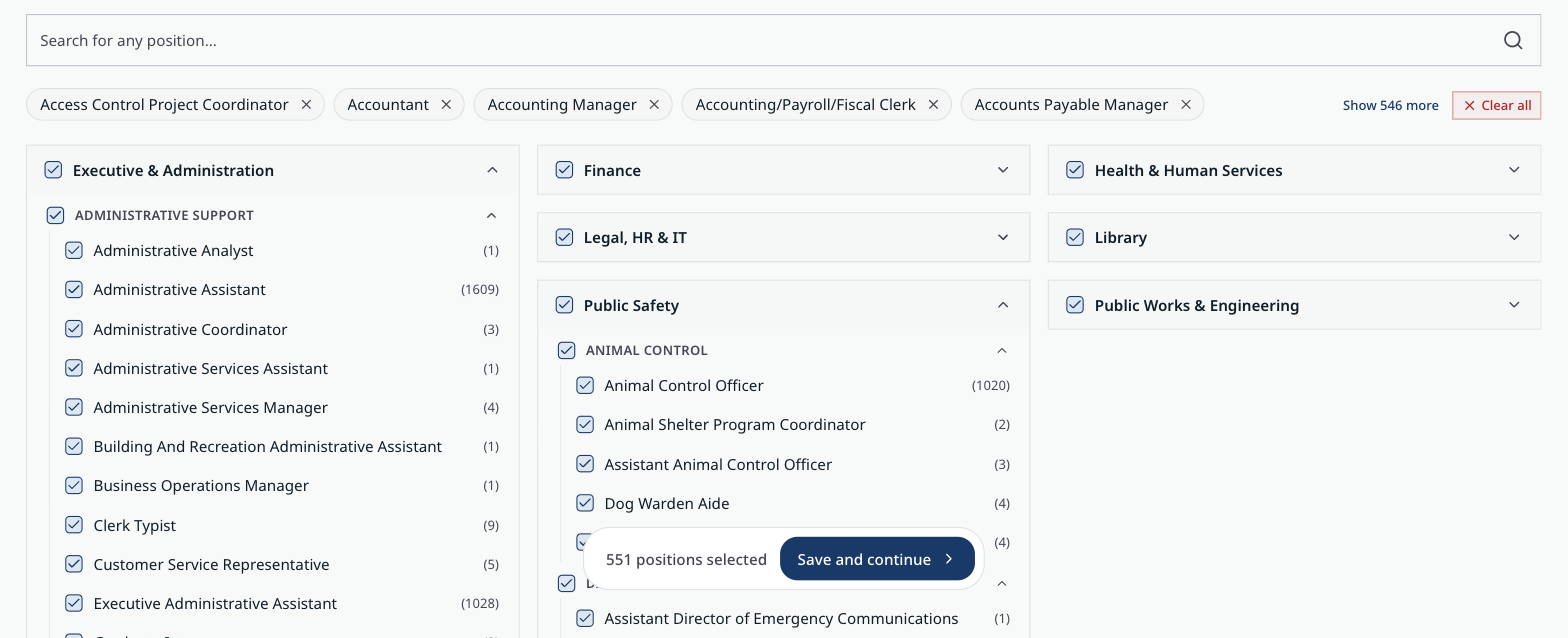
Pick the positions
Search for a title or browse by service area. Pick one position or a whole department.
- Titles from every town are mapped to one shared list, so “Asst. Town Clerk” and “T/CL-ASST TOWN CLERK” land in the same row.
- See how many records each position has before you commit.
Choose who you compare against
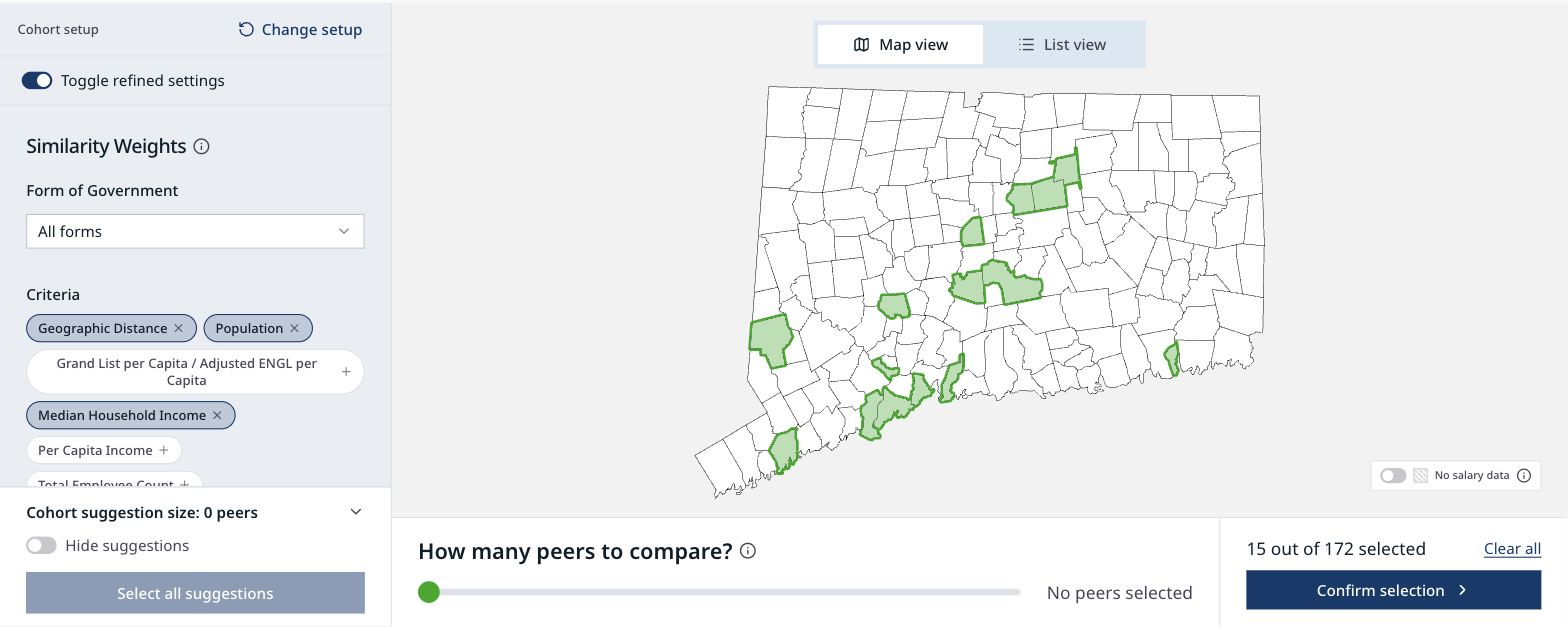
Click towns on the map, or let WageNav suggest peers by distance, population, and household income.
- Rank the criteria that matter to your board, then add grand list, per-capita income, or staff size.
- Switch to a table to sort towns side by side.
- Save the group and reuse it next year.
See where you stand
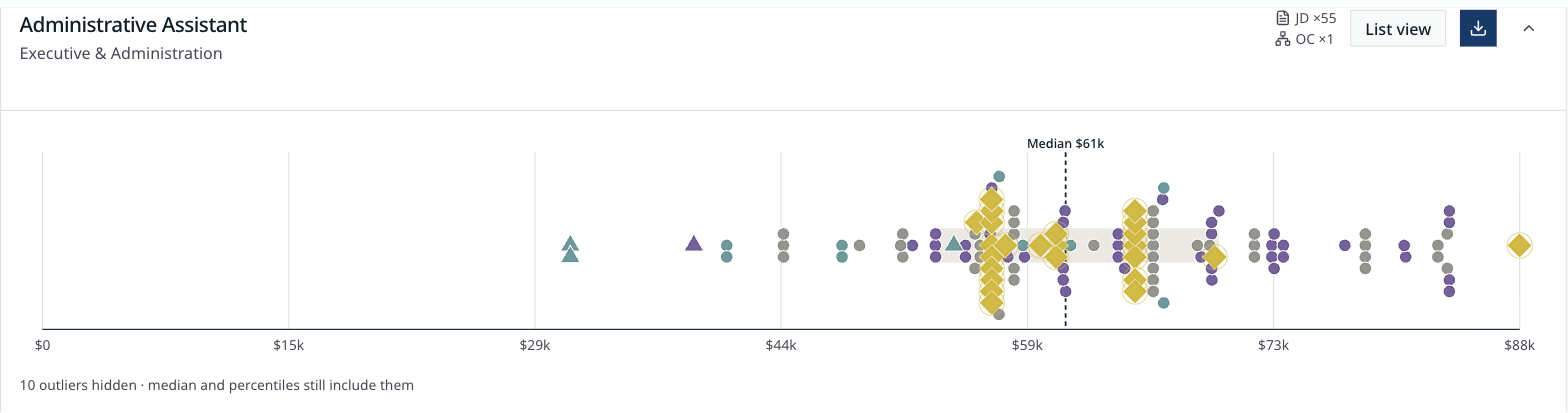
Every town’s pay for that position on one line, with the median marked and your town highlighted.
- Hover any point to see the town, its population, base pay, and how far it sits from the median.
- Filter by full-time, part-time, union, and fiscal year.
- Small samples are flagged, so nobody quotes a median built on three towns.
Built for the questions boards actually ask
Compare pay, benefits, or both
Switch between base salary, benefits, and total compensation with one click.
Filter like a negotiator
Union or non-union, full-time or part-time, last year or the last five. Outliers can be hidden from the chart without changing the median.
Every row behind the chart
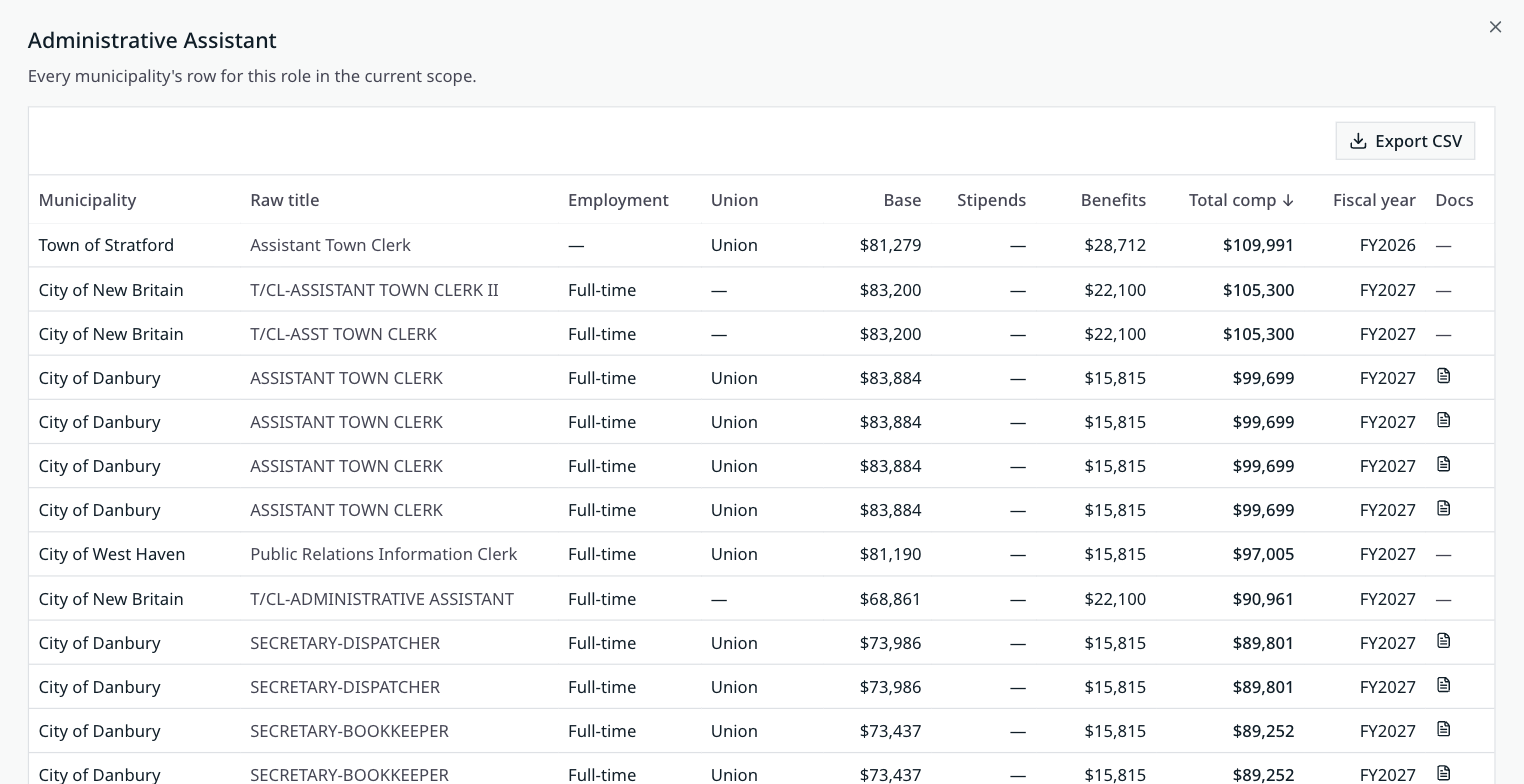
Open the table to see each town’s raw title, base pay, stipends, benefits, and fiscal year.
Export for the board packet
Download any comparison as a CSV and attach it to a memo. The file won’t change after you send it.
Saved comparisons stay put
Save a comparison and reopen it next month against the same towns, with updated figures.
Share with your team
Send a comparison to a colleague as view-only or editable. They see exactly what you see.
Every town’s row, one click from the chart
The table shows the title each town actually uses, so you can tell a true match from a near miss. Document icons link to the job description or contract it came from.
The documents behind the numbers
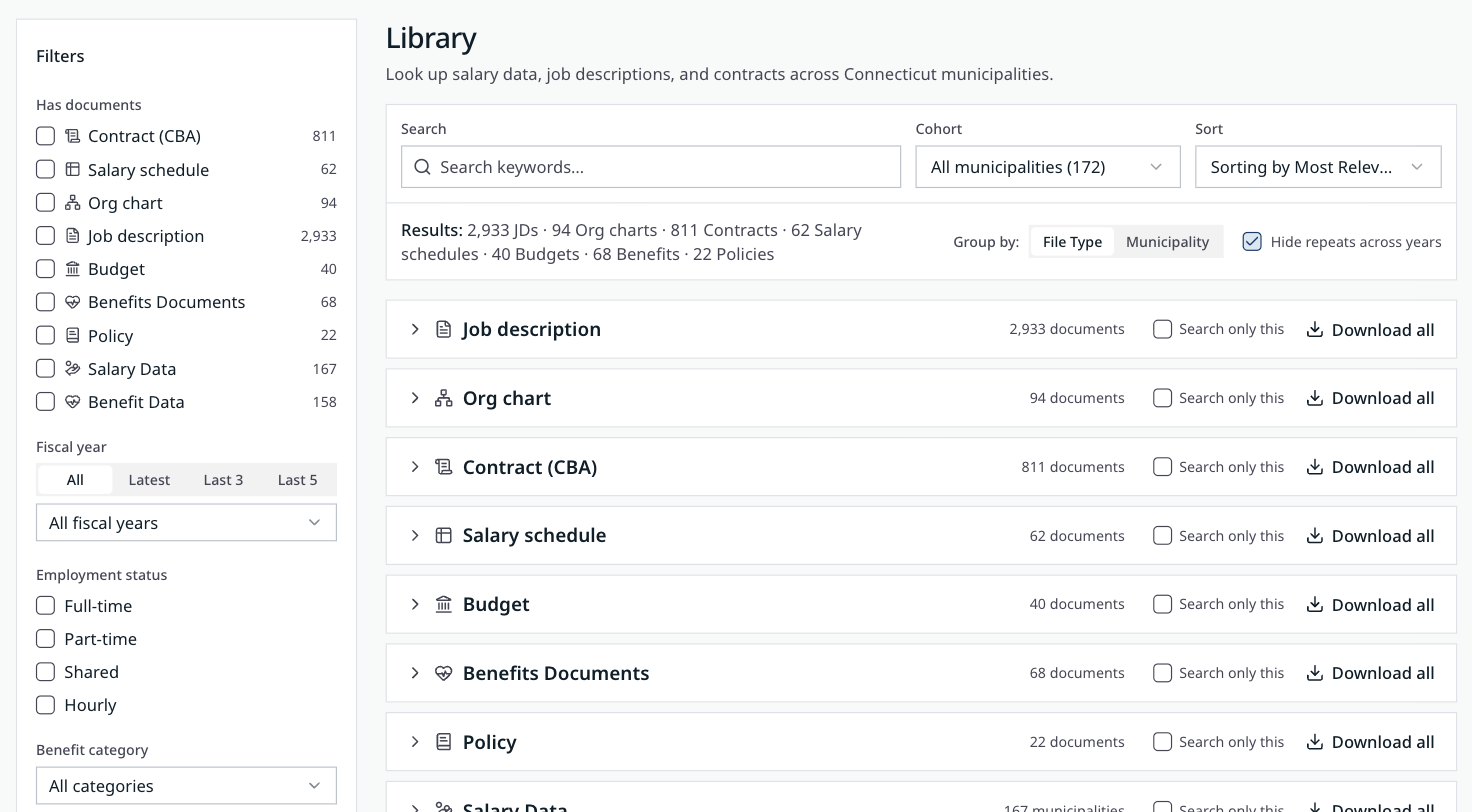
Read the job description before you call it a match. Search job descriptions, union contracts, salary schedules, org charts, and budgets from every participating town.
Filter by document type, fiscal year, or your saved peer group. Download one file or the whole set.
Towns upload what they already have
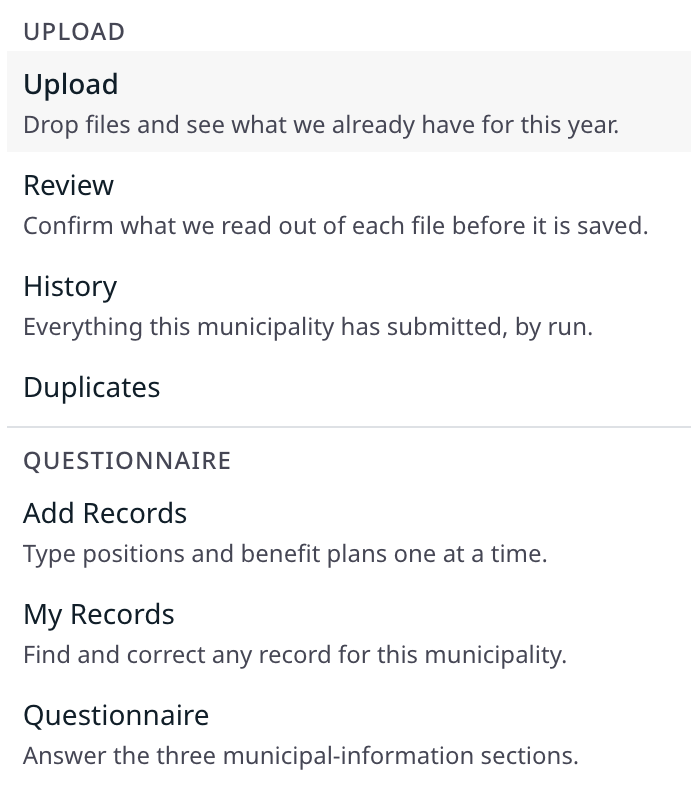
No new spreadsheet template to fill in. Towns drop in salary schedules, contracts, and payroll exports. WageNav reads each file and pulls out the positions and pay.
Staff review what was read from each file before anything is saved, and can add or correct records by hand.
CCM Salary Navigator
The Connecticut Conference of Municipalities runs its member salary survey on WageNav. Member towns sign in with their CCM account and compare against the rest of the state.
Run your association’s survey on WageNav
Your name and logo, your members’ data, your sign-in. We set up the title list and peer criteria for your state and load past survey years so members start with history.
Talk to usSee WageNav with your own towns
We’ll walk through a live comparison for a position you’re hiring or negotiating right now.